
Did you know that you can process rasters in R in multiple ways?
By raster processing, we mean reading a raster file into R and performing some calculations with it. This can be as simple as finding the minimum value in the raster or as complex as using multiple rasters in a conditional function to produce an output raster.
In any case, if you are processing large rasters, the efficiency of these operations can start to matter… a lot!
Let’s take a simple example where we create a two large rasters with the hope of doing some processing work. We then randomly set some subset of the first raster cells to a value of NA.
library(raster)
library(terra)
library(tictoc)

# set random seed for this exercise
set.seed(20201114)

# small raster
# r1 <- rast(system.file("ex/elev.tif", package="terra"))

# large raster
r1 <- rast(vals=runif(n=9e6,min=100,max=200),nrows = 3e3, ncols = 3e3, resolution = 0.5)

# second raster
r2 <- r1+100

# randomly set some values to NA in r1
r1[sample(x=seq(1,100000),size = 20000,replace=FALSE)] <- NA
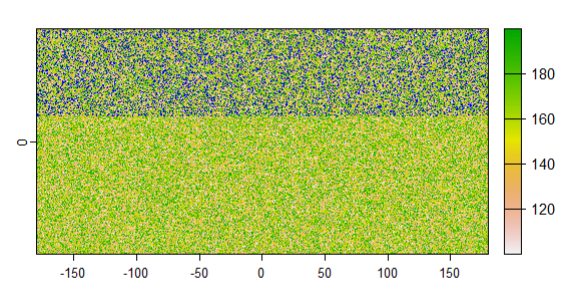
terra::plot(r1,colNA='blue')
This produces the plot below – we can see some blue raster cells where the raster r1 has a value of NA.
Great! Now we want to use the r2 raster, but set its values also to be NA if r1 has a value of NA. This happens commonly if we are processing multiple rasters, say a digital elevation model (DEM) and a Height Above Nearest Drainage (HAND) raster, and we only want our depth raster to be valid where both of these rasters have values.
One way to do this is to define a function with the raster package and overlay the rasters, setting values of r2 to NA if r1 is NA, and returning the resulting raster. See the processing time for this below.
# set values of r2 to NA where r1 is NA using raster
tic()
rr <- raster::overlay(raster::raster(r1),raster::raster(r2),fun=function(r1,r2) {
  r2[is.na(r1[])] <- NA
  return(r2)
})
toc()

# 0.36 sec elapsed
This is reasonably fast for this raster, about 1/3 of a second. What if we try this in a for loop?
tic()
r3 <- r2
r1m <- as.matrix(r1)
for (i in 1:length(r1m)) {
  if (is.na(r1m[i])) {
    r3[i] <- NA
  }
}
toc()
# 48.95 sec elapsed
As you can imagine this is quite a bit slower – about 136 times slower! We can wait around for a minute with this raster, but if processing something much larger, this would be unwieldy.
Another options is to use the terra package. One way to do this is to use the terra::app function, which is analogous to the raster::overlay method.
tic()
rr <- terra::app(x=c(r1,r2),fun=function(x) {
  x[2][is.na(x[1])] <- NA
  return(x[2])
})
toc()
# 1.9 sec elapsed
This method is a bit slower than the raster method, though still substantially faster than the for loop. However, we can also speed this up significantly by vectorizing the function to apply to all elements of x, not indexing within the function. For example, the next version uses the same terra::app function but runs much faster.
tic()
rr <- terra::app(x=c(r1,r2), fun=function(x) {
  x[is.na(x[,1]), 2] <- NA
  return(x[,2])
})
toc()
# 0.03 sec elapsed
This is now two orders of magnitude faster. Again, for much larger rasters these differences would really stack up.
Finally, for this operation, we can actually use the terra::mask function.
tic(); rr <- mask(r2, r1); toc()
# 0 sec elapsed
This produces the same result, but again substantially sped up due to the efficient coding of the built-in functions.
Main takeaway here: vectorizing and using built-in package functions in R can substantially speed up your raster processing work. This becomes more important as you process larger and larger rasters.
Contact us if you wish to optimize your raster processing workflows!
A big thanks to Robert Hijmans for his contributions on this question!